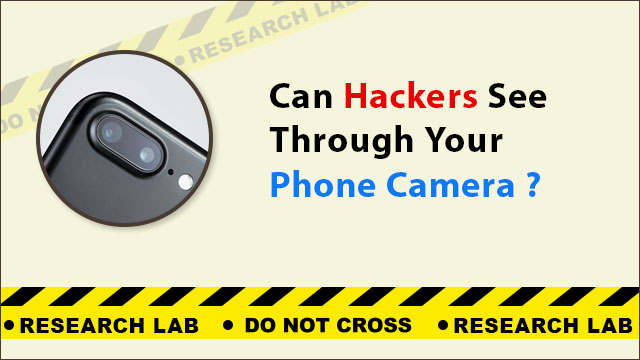
Hackers can see through your phone camera if malware, spyware, or a malicious app has been installed on your device without your knowledge. This grants remote access to your camera feed, microphone, and stored photos. Recognising the warning signs and securing your camera permissions are the first steps to protecting your privacy.
How Can Hackers Access Your Phone Camera?
Spyware and Malicious Apps
The most common method is through spyware installed on the device. This can happen when you install an app from an unofficial source, click a malicious link in a phishing message, or connect to an untrusted public Wi-Fi network that redirects your traffic. Once installed, the spyware can activate your camera silently, record video, capture screenshots, and transmit them to the attacker without any visible indication on your screen.
See the guide on malware detection services for information on how such software is identified and removed.
Physical Access to the Device
If someone gains physical access to your unlocked phone — even for a few minutes — they can install a stalkerware or spyware application without your knowledge. This is particularly relevant in cases involving jealous partners, abusive relationships, or workplace surveillance.
Public Wi-Fi Interception
Unsecured public Wi-Fi networks can be used to conduct man-in-the-middle attacks that intercept communications and, in combination with other vulnerabilities, could allow access to device functions. See public Wi-Fi scam risks for more detail.
Social Media App Permissions
Apps like Instagram, Snapchat, and video calling platforms request camera and microphone access as part of their standard setup. If these permissions are not reviewed, the app can technically access the camera. In 2020, Instagram faced scrutiny after iOS 14’s new permission indicators showed the camera being activated in the background. Always review and restrict camera access for apps that do not genuinely require it.
How Do You Know If Your Phone Camera Has Been Hacked?
- Unexplained battery drain — Camera activation consumes battery. Unusual drain when the phone is idle can indicate background camera activity.
- Phone overheating without use — Active spyware transmitting video data causes the processor to work continuously, generating heat.
- Unusual camera indicator lights — On iPhone (iOS 14+), the green dot in the status bar indicates the camera is active. If it appears when you’re not using any camera app, this is a warning sign.
- Unexpected data usage — Video streams consume significant data. A sudden spike in background data usage can indicate camera-related spyware.
- Phone screen turns on randomly — Spontaneous screen activation, especially at night, can indicate remote access activity.
- Unfamiliar photos or videos in gallery — If images or recordings appear that you did not take, someone may have remote camera access.
How Can You Protect Your Phone Camera from Hackers?
- Set a strong screen lock — Use a 6-digit PIN, pattern, fingerprint, or Face ID to prevent physical access to the device.
- Review app permissions regularly — Go to Settings → Apps → Permissions and revoke camera access from any app that does not genuinely need it.
- Avoid unofficial app sources — Only install apps from the Google Play Store or Apple App Store. Sideloaded APKs frequently contain spyware.
- Avoid public Wi-Fi without a VPN — If you must use public networks, use a reputable VPN to encrypt your connection.
- Keep your OS and apps updated — Security patches close known vulnerabilities that spyware exploits for camera access.
- Use a camera cover — A physical webcam cover on the rear camera is a simple, foolproof defence against unauthorised visual access.
- Run a mobile anti-spy detection scan — Professional tools can identify hidden spyware that consumer antivirus apps miss.
What Should You Do If Your Camera Has Been Hacked?
- Call the National Cyber Crime Helpline 1930 to report the incident.
- File a complaint at cybercrime.gov.in with details of the suspected spyware or attacker.
- Perform a professional malware detection and removal before continuing to use the device.
- Change all passwords and revoke access tokens for accounts accessed from the compromised device.
For a professional assessment of whether your phone camera has been compromised, contact cyber expert Anuraag Singh.